
Localization
Docsentry ships a complete English and Arabic interface, including right-to-left layout. Arabic is not a partial translation layered on afterwards - the two resource files are held at key parity, so every string exists in both languages.
How a language is chosen
Section titled “How a language is chosen”The culture switch in the top bar posts to a culture endpoint, which sets a culture cookie and returns the user to the page they were on. The button shows the language you would switch to, not the one you are in.
The server then renders with that culture, setting lang and dir on the <html> element -
dir="rtl" for Arabic, dir="ltr" otherwise.
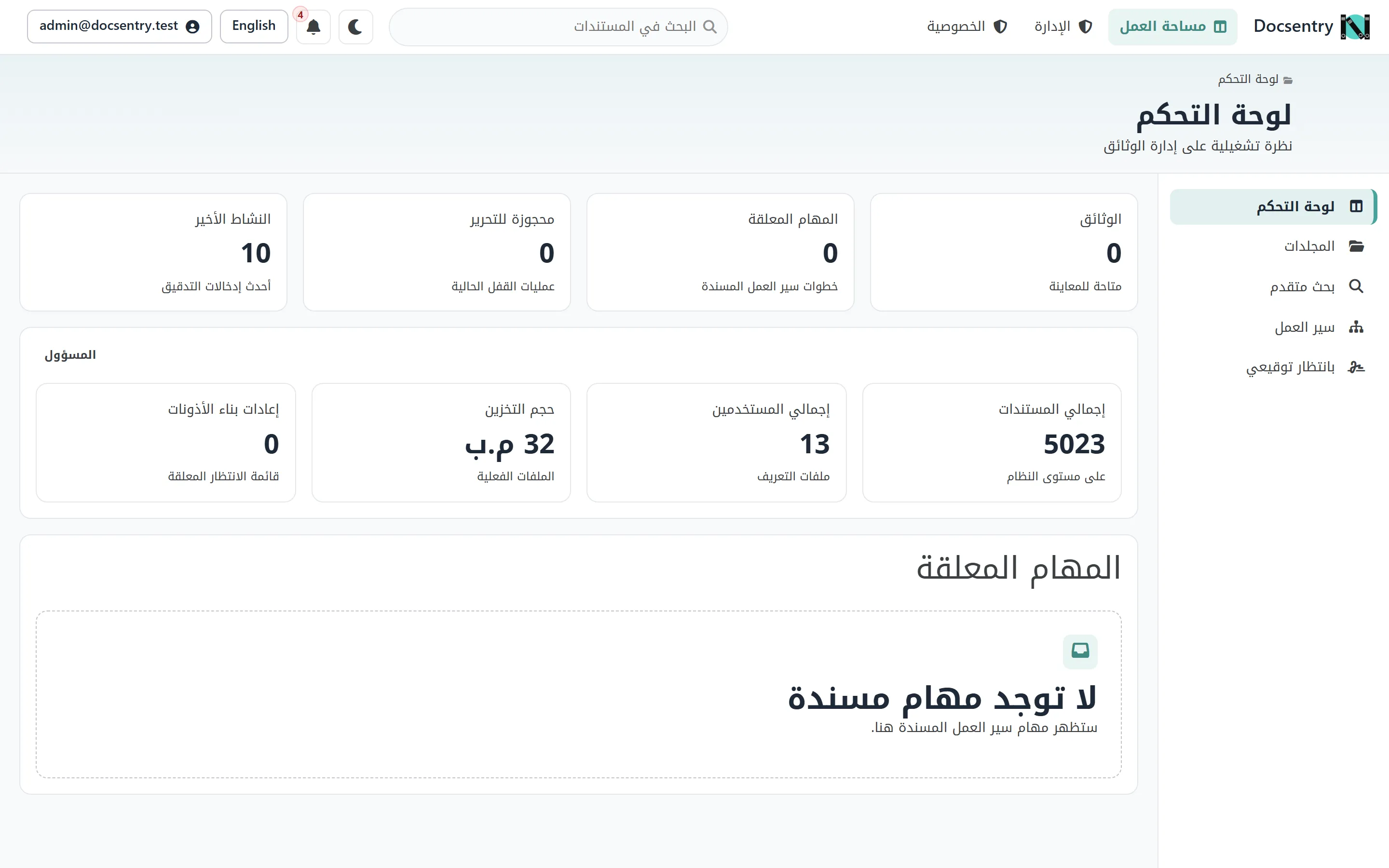
The same dashboard in Arabic. Nothing is a separate page - the layout mirrors itself.
Email is rendered in the recipient’s culture, not the sender’s. See Email.
How right-to-left works
Section titled “How right-to-left works”There is no second stylesheet, and no .rtl.css build.
The entire interface is written with CSS logical properties - inline-size rather than
width, padding-inline rather than padding-left, border-inline-start rather than
border-left, text-align: start rather than left. Logical properties resolve against the
document direction, so setting dir="rtl" mirrors the layout without any direction-specific
rules.
Only a handful of explicit direction overrides exist in the whole stylesheet set, for cases where mirroring is genuinely wrong - a drawer that should slide in from the other edge, and the signing canvas, which is a fixed coordinate plane where a signature’s placement must not flip.
This is why RTL does not drift: a new component written with logical properties works in both directions without anyone testing it in Arabic first.
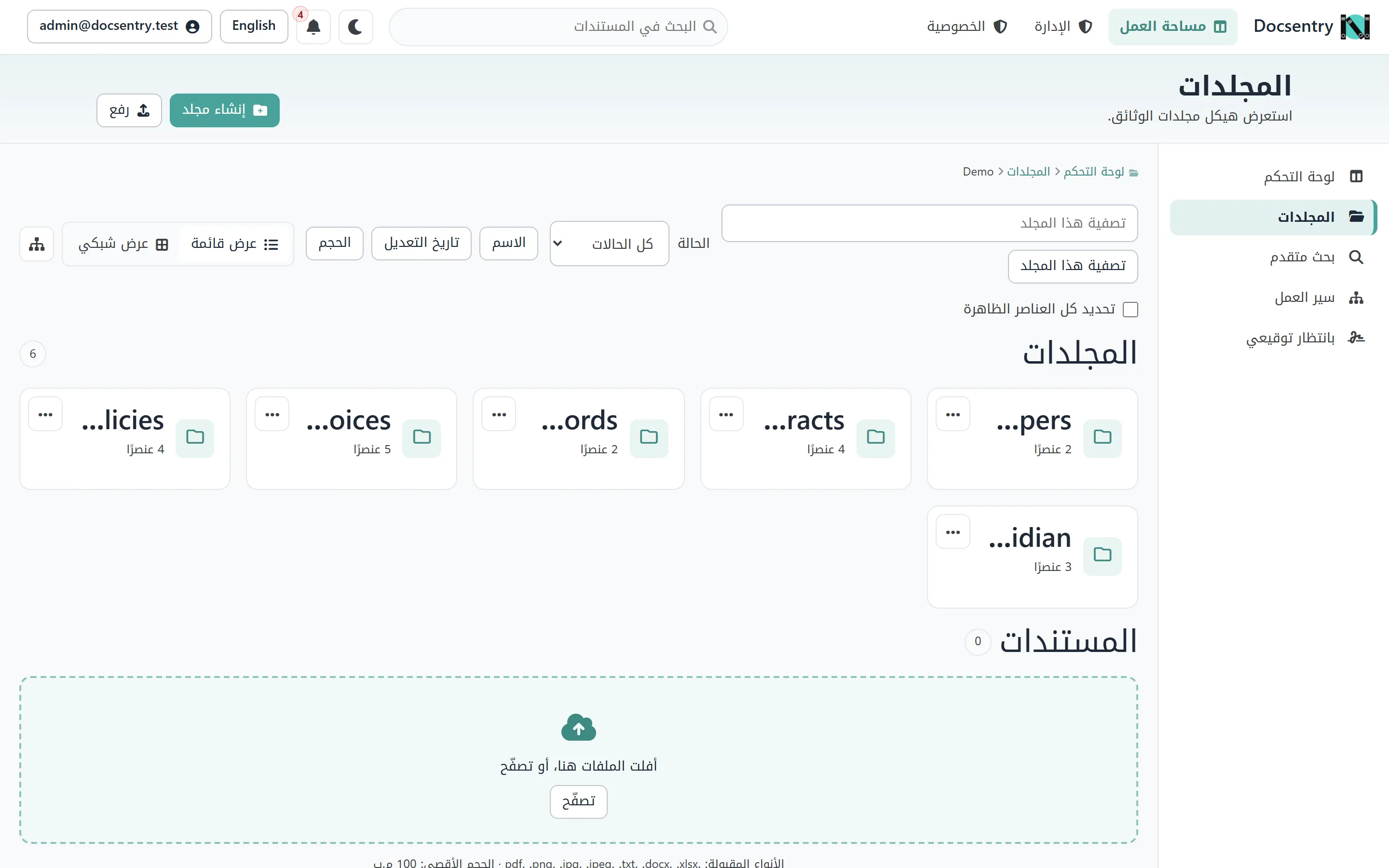
The folder explorer, mirrored by direction alone. The tree rail moves to the right without a direction-specific rule.
Typography
Section titled “Typography”The Latin interface uses Poppins; the Arabic interface uses an Arabic family selected on lang,
not on dir. All fonts are self-hosted - there is no CDN dependency and no external request when
a page loads.
Arabic glyphs render wider than Latin at the same point size, which is accounted for in the shell: navigation does not shrink and clip its labels, and the search field yields space first.
Adding a user-facing string
Section titled “Adding a user-facing string”The rule in practice:
- Add the key and the English text to the English resource file.
- Add the same key and the Arabic text to the Arabic resource file.
- Resolve it in the view through the shared localizer.
Supply the Arabic translation up front rather than adding a placeholder to fill in later. Placeholders are not revisited, and a page that is half-translated is worse than one that is plainly untranslated.
A convention test checks key-set parity, so a mismatch fails the build rather than reaching a user.
Testing both directions
Section titled “Testing both directions”Two things reliably break in RTL and are worth checking on any new screen:
- Overflow. Longer Arabic labels expose containers that were sized to fit English exactly.
- Anything positioned physically. A stray
left:ormargin-right:that survived review will sit on the wrong side.
Switch the language and look at the page. It takes a few seconds and catches nearly everything.
Themes
Section titled “Themes”Independently of language, the interface offers light and dark themes. The theme is a per-viewer preference; it does not affect layout or content.
Related
Section titled “Related”- Email - bilingual templates.
- Architecture - the convention tests that enforce parity.