
Users and roles
User administration is under Users and Roles in the administration section.
Creating a user
Section titled “Creating a user”There is no public registration: accounts are created by an administrator from the Users screen. You supply the account details and choose the language of the invitation; the new user receives an email with a link to set their own password, rather than being handed one.
- The invitation link is valid for
AccountSecurity:InvitationLifetime(7 days by default). - For anyone who has not yet set a password, Resend invitation on the Users list sends a new link and invalidates every earlier one.
- Invitations are delivered through the email outbox, so Email must be configured for them to arrive.
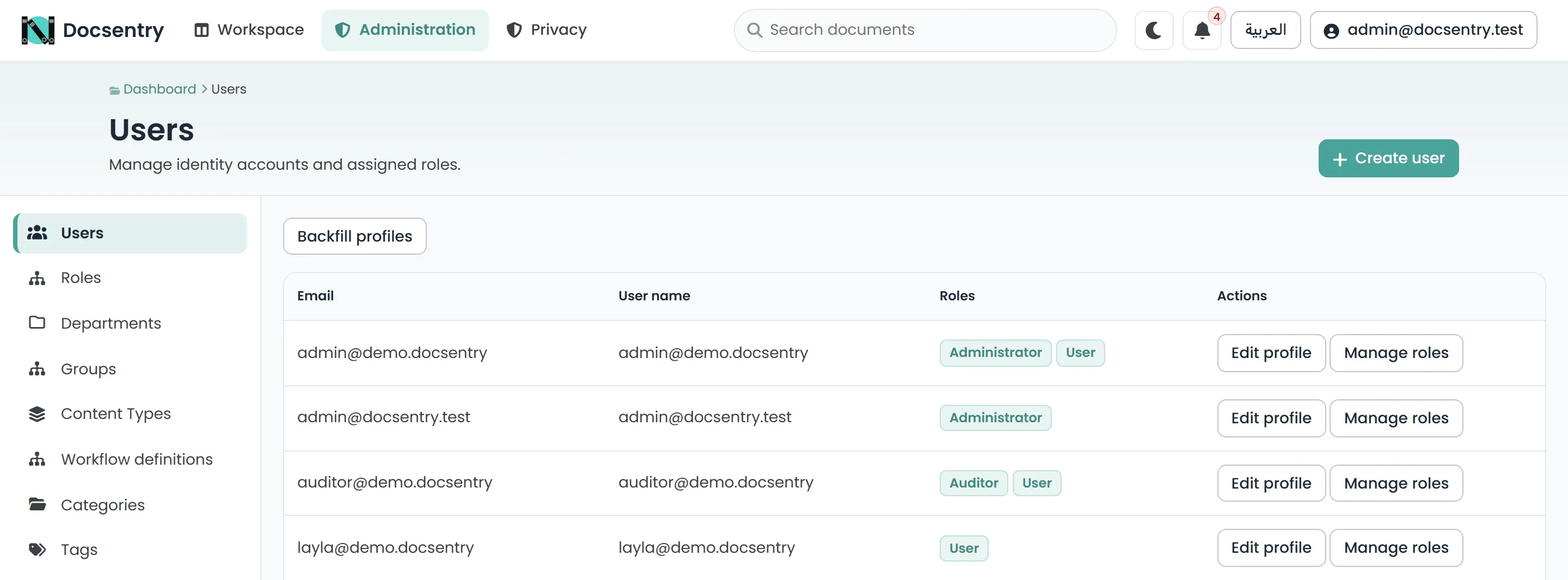
The Users screen. Accounts are created here; roles are assigned per account.
System roles
Section titled “System roles”Five roles are seeded with the schema and cannot be removed. Administrative screens are gated by capabilities, and each role holds a fixed set:
| Role | Capabilities | Overrides document permissions |
|---|---|---|
Administrator |
All, including user management, erasure and system configuration. | Yes |
RecordsManager |
Retention configuration; content types, taxonomy and numbering. | No |
WorkflowManager |
Workflow authoring. | No |
Auditor |
The audit log and audit integrity verification. | No |
User |
None. | No |
Custom roles can be created alongside the system ones, renamed, and deleted. Membership is managed from each role’s members screen.
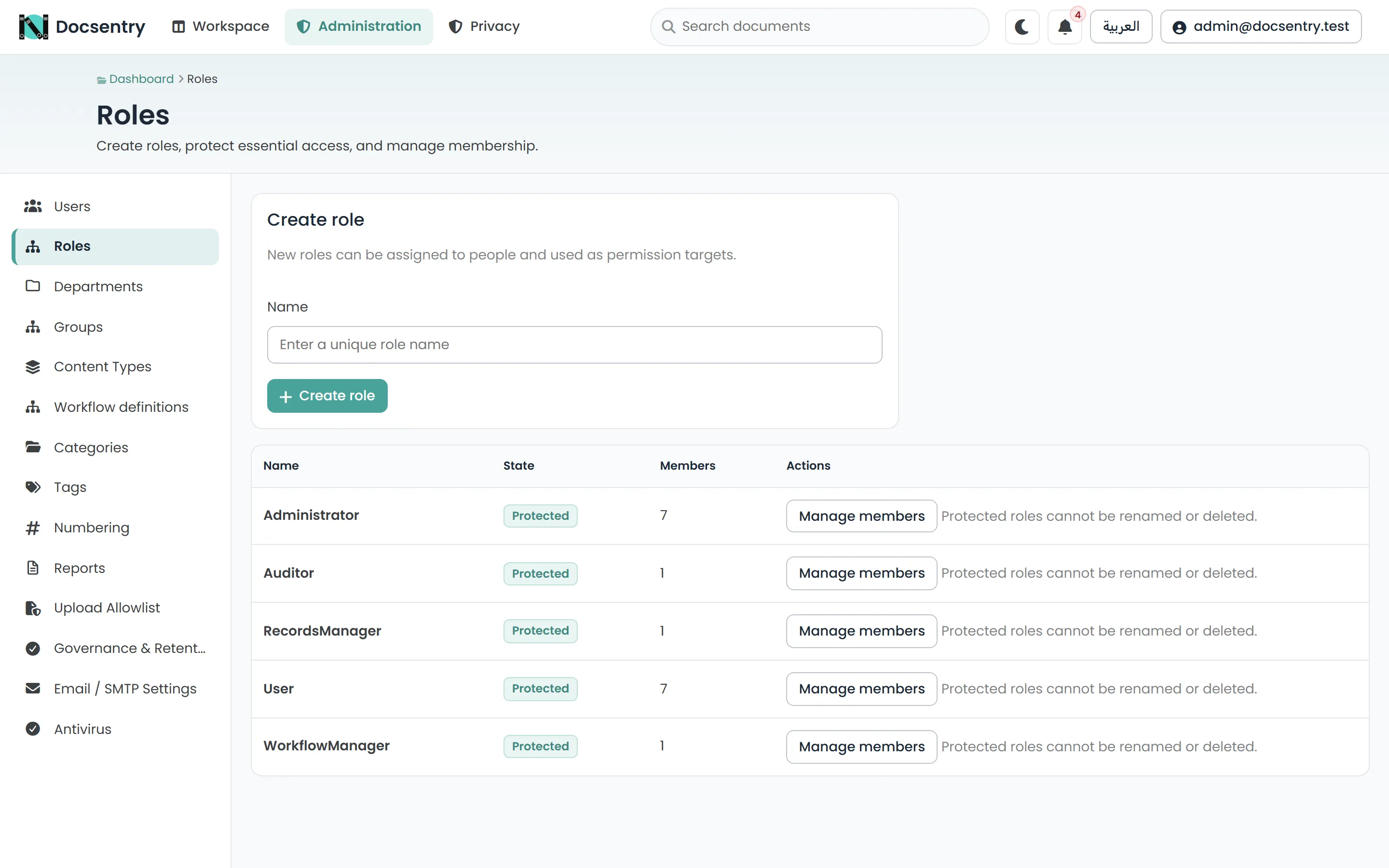
Roles and their membership. Custom roles sit alongside the five seeded system roles.
Choosing roles
Section titled “Choosing roles”Give Administrator to as few people as the organisation can tolerate. The three specialised
roles exist so that the common reasons for needing elevated access - managing records, authoring
workflows, reviewing audit trails - do not each require full administrative control.
Auditor is the one most often overlooked. Someone who needs to review the audit log does not
need the ability to modify the repository - and should not be one of the people the log records.
For that reason Auditor cannot be combined with Administrator, RecordsManager or
WorkflowManager on the same account; the assignment is refused. An existing account that already
holds such a combination is flagged on the Users list rather than blocked.
Every action an administrator takes through the permission override - rather than through an ordinary grant - is marked as such in the audit log. See Reports.
User profiles
Section titled “User profiles”Profiles hold the descriptive information attached to an account: display details, department, and organisation unit membership. Department and organisation unit membership is what makes group-based access grants work, so it is worth keeping accurate - see Departments and org units.
A backfill action exists to provision profiles for accounts that predate the profile feature or were created outside the normal flow. Run it once after an import rather than editing each account.
Account security
Section titled “Account security”| Setting | Default | Effect |
|---|---|---|
AccountSecurity:MaxFailedAccessAttempts |
5 | Failed sign-ins before lockout. |
AccountSecurity:LockoutMinutes |
15 | Lockout duration. |
AccountSecurity:MandatoryTwoFactorRoles |
Administrator |
Roles that must enrol an authenticator before using the application. |
AccountSecurity:SecurityStampValidationMinutes |
2 | How quickly a revoked session stops working. |
AccountSecurity:InvitationLifetime |
7 days | How long an invitation link stays valid. |
Passwords require at least 12 characters with upper case, lower case, and a digit, and are checked against a breached-password corpus when one is configured. Email addresses are unique across accounts.
Two-factor authentication uses an authenticator app with recovery codes. It is mandatory for the
roles listed in MandatoryTwoFactorRoles and available to everyone else from their own profile. The
security health report lists accounts without it. See
Security hardening.
When someone leaves
Section titled “When someone leaves”Removing a person’s roles or resetting their password ends their sessions within two minutes, but leaves work attached to them. Two things need attention:
- Workflow tasks. A reconciliation job reassigns tasks belonging to a departed user, so they do not sit in an inbox nobody opens. Confirm the job is enabled - see Background jobs.
- Access-control entries naming them individually. Group-based grants resolve themselves when membership changes; entries naming the individual do not. This is the strongest practical argument for granting to departments and roles rather than to people.
Erasing a person
Section titled “Erasing a person”Where a person has a right to erasure, an administrator can erase them from their profile page (Erase personal data). Erasure:
- replaces their name, email, sign-in name, employee number and avatar with a pseudonym such as
Erased user #12, everywhere their identity is stored - including audit entries and signing history - clears every IP address and user agent recorded for them
- permanently disables sign-in, and removes their authenticator, roles, memberships, direct grants and share links
- cancels email still queued to them
It keeps business records - documents, versions, comments, signatures and workflow history - which now show the pseudonym. When erasure completes you are shown the documents the person owned or uploaded, so you can review whether any should be deleted.
You cannot erase yourself, the last active administrator, or someone already erased. Erasure does not reach backups taken before it, or free text other people wrote that mentions the person.
Related
Section titled “Related”- Permission model - what actually decides access.
- Departments and org units - grouping people.
- Security hardening - authentication configuration in full.