
Permission model
Access in Docsentry is decided by access-control entries on folders and documents. This page describes exactly how a decision is reached, because the details matter: deny beats allow, and a document can override what its folder said.
Permission bits
Section titled “Permission bits”Eight bits make up a permission mask. Their numeric values are fixed by the authorisation schema and never change.
| Bit | Value | Grants |
|---|---|---|
Preview |
1 | See the document exists, and view its generated preview. |
Download |
2 | Retrieve the original bytes. |
Upload |
4 | Add new documents to a folder. |
EditMetadata |
8 | Change metadata, tags, categories, and classification. |
EditContent |
16 | Upload a new version, check out, and check in. |
Delete |
32 | Move to the recycle bin. |
ManagePermissions |
64 | Change access-control entries on the resource. |
ManageWorkflow |
128 | Start and administer workflows on the resource. |
A mask is the bitwise union of the bits it grants. Preview plus Download is 3.
Access levels
Section titled “Access levels”Rather than picking bits by hand, most grants use a named rung on the access-level ladder:
| Level | Mask | Includes |
|---|---|---|
| Viewer | 1 | Preview |
| Reader | 3 | + Download |
| Contributor | 7 | + Upload |
| Editor | 31 | + EditMetadata, EditContent, Delete |
| Manager | 127 | + ManagePermissions |
| FullControl | 255 | + ManageWorkflow |
The ladder is strictly ascending, so each rung contains everything below it. A grant that does not match a rung exactly - or that carries any deny bits at all - is classified as Custom.
Subjects
Section titled “Subjects”An access-control entry names a subject. There are four kinds:
| Subject | Meaning |
|---|---|
| User | One named account. |
| Role | Everyone holding a system role. |
| Department | Everyone in a department. |
| OrganizationUnit | Everyone in an organisation unit. |
Granting to a department or organisation unit is usually the right instinct: membership changes then flow through without anyone revisiting the folder. See Departments and org units.
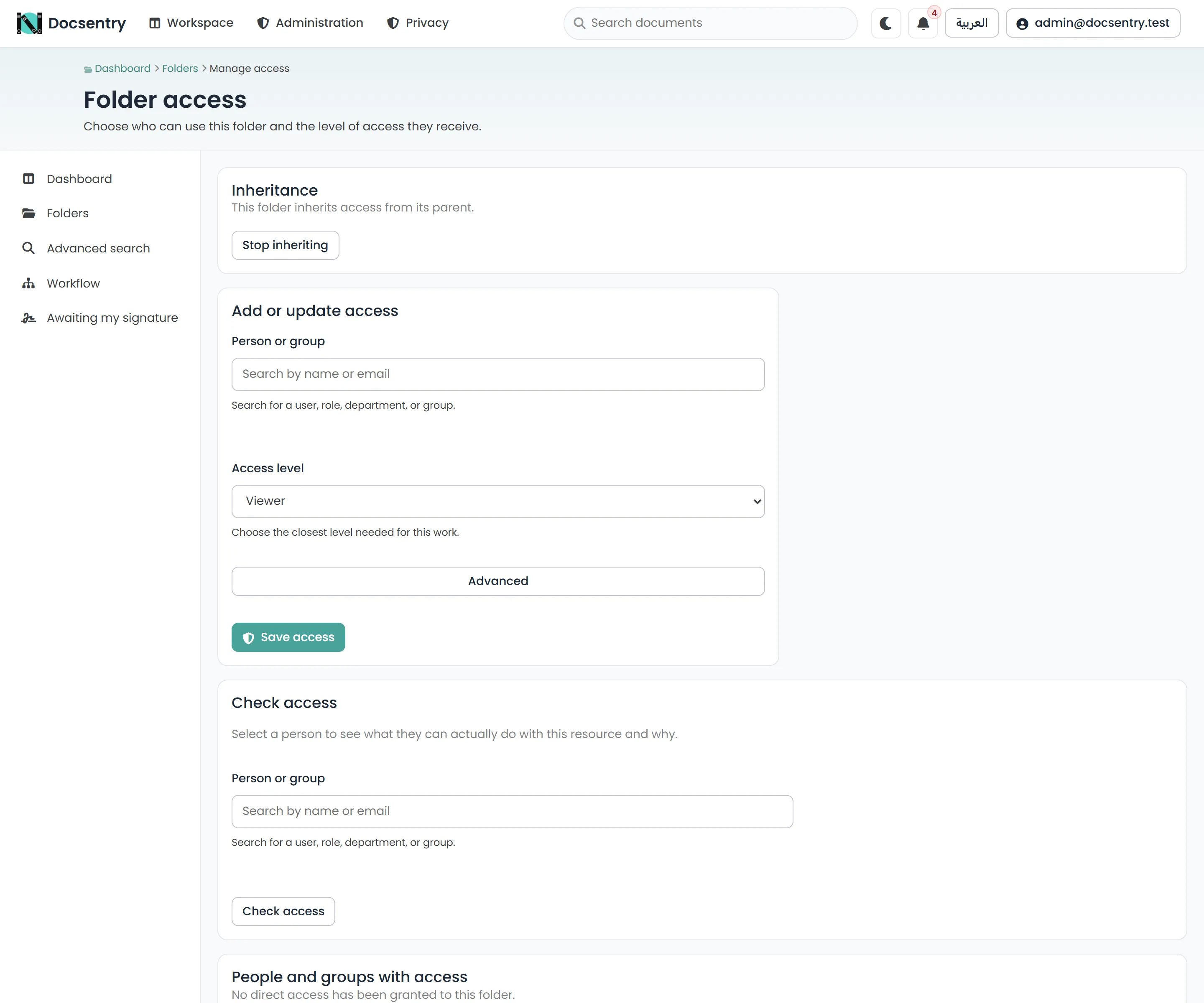
The access screen for a folder. Entries name a subject and grant or deny permission bits.
How a decision is reached
Section titled “How a decision is reached”Three rules, applied in order.
1. Union the subject masks
Section titled “1. Union the subject masks”A user is usually covered by several entries at once - as an individual, through a role, and through a department. All applicable entries are OR-ed together, separately for allow and deny:
allow = allow₁ | allow₂ | allow₃ ...deny = deny₁ | deny₂ | deny₃ ...2. Deny wins
Section titled “2. Deny wins”effective = allow & ~denyA deny bit removes that permission no matter how many other entries allow it, and no matter how specific those entries are. There is no “more specific allow beats a broader deny” rule.
The schema forbids a single entry from allowing and denying the same bit, so overlap within one entry is rejected rather than silently resolved.
3. A document overrides its folder, bit by bit
Section titled “3. A document overrides its folder, bit by bit”A document inherits its folder’s effective result, then its own entries override - but only for the bits the document actually mentions:
specified = documentAllow | documentDenyeffective = (folderEffective & ~specified) | (documentAllow & ~documentDeny)So a document entry that speaks only about Download changes only Download. Everything else
still comes from the folder. This is what makes it practical to lock down one sensitive document
inside an otherwise open folder without restating the whole grant.
Access is default-deny: an empty effective mask grants nothing.
Inheritance
Section titled “Inheritance”By default a folder inherits from its parent. Inheritance can be broken on a folder, at which point that subtree is governed only by its own entries. Use this sparingly - a broken inheritance point is invisible from above and is the usual reason an access question has a surprising answer.
Worked example
Section titled “Worked example”A folder /Finance/Contracts with:
- an entry granting the Finance department Reader (allow 3)
- an entry granting the user Omar Editor (allow 31)
- an entry denying the Contractors role Download (deny 2)
Omar is in Finance and is not a contractor:
allow = 3 | 31 = 31deny = 0effective = 31 & ~0 = 31 -> EditorLayla is in Finance and holds the Contractors role:
allow = 3 = 3deny = 2effective = 3 & ~2 = 1 -> Preview onlyShe can see the contracts exist and view their previews, but cannot download them. If a further
entry granted Contractors FullControl, the deny would still remove Download - deny is not
outvoted.
Now a single document in that folder carries its own entry denying Omar EditContent (deny 16):
specified = 0 | 16 = 16effective = (31 & ~16) | (0 & ~16) = 15Omar keeps Preview, Download, Upload, and EditMetadata on that document, but cannot change its content - and his permissions everywhere else in the folder are untouched.
Effective permissions are materialised
Section titled “Effective permissions are materialised”Resolving this chain per request, per document, would be expensive. Instead the results are materialised into effective-permission tables, rebuilt when the inputs change.
Rebuilds are queued and drained inline, within the same transaction as the access-control write, so a grant is visible immediately to the user who made it. A background job drains the same queue as a safety net for rows that outlive their request - it is not the primary path. See Background jobs.
The stored procedure in the database is the source of truth for the persisted rows. The application carries a matching implementation of the same rules so that the precedence logic can be tested independently of a database.
Roles versus grants
Section titled “Roles versus grants”Holding a system role does not by itself give access to any folder. Roles gate administrative
screens - and can be used as ACL subjects - but repository access always comes from an
access-control entry. Making someone an Administrator and expecting them to see a folder they
have no grant on is a common early misunderstanding.
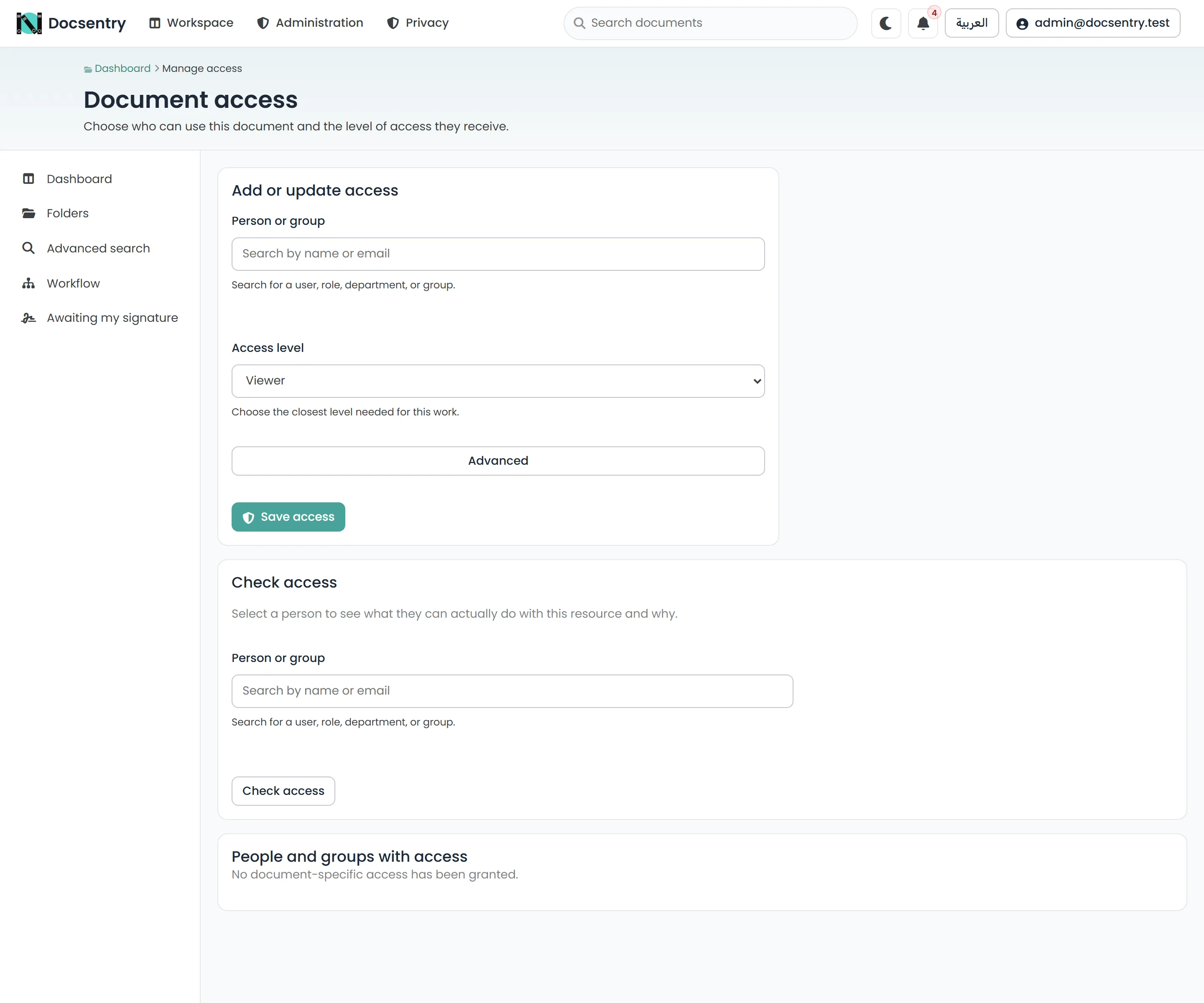
A document’s own entries override the folder result, bit by bit, for the bits they specify.
Checking access
Section titled “Checking access”Both the folder and document access screens have a Check access panel: pick a user, and it reports their effective mask on that resource and why. Use it before assuming a grant did what you meant.
Related
Section titled “Related”- Sharing and links - granting access to people outside the ACL, with expiry.
- Users and roles - the role definitions.
- Folders and documents - what the entries attach to.