
Governance and retention
Governance settings are under Governance & Retention in the administration section, available
to roles holding the retention configuration capability (Administrator and RecordsManager).
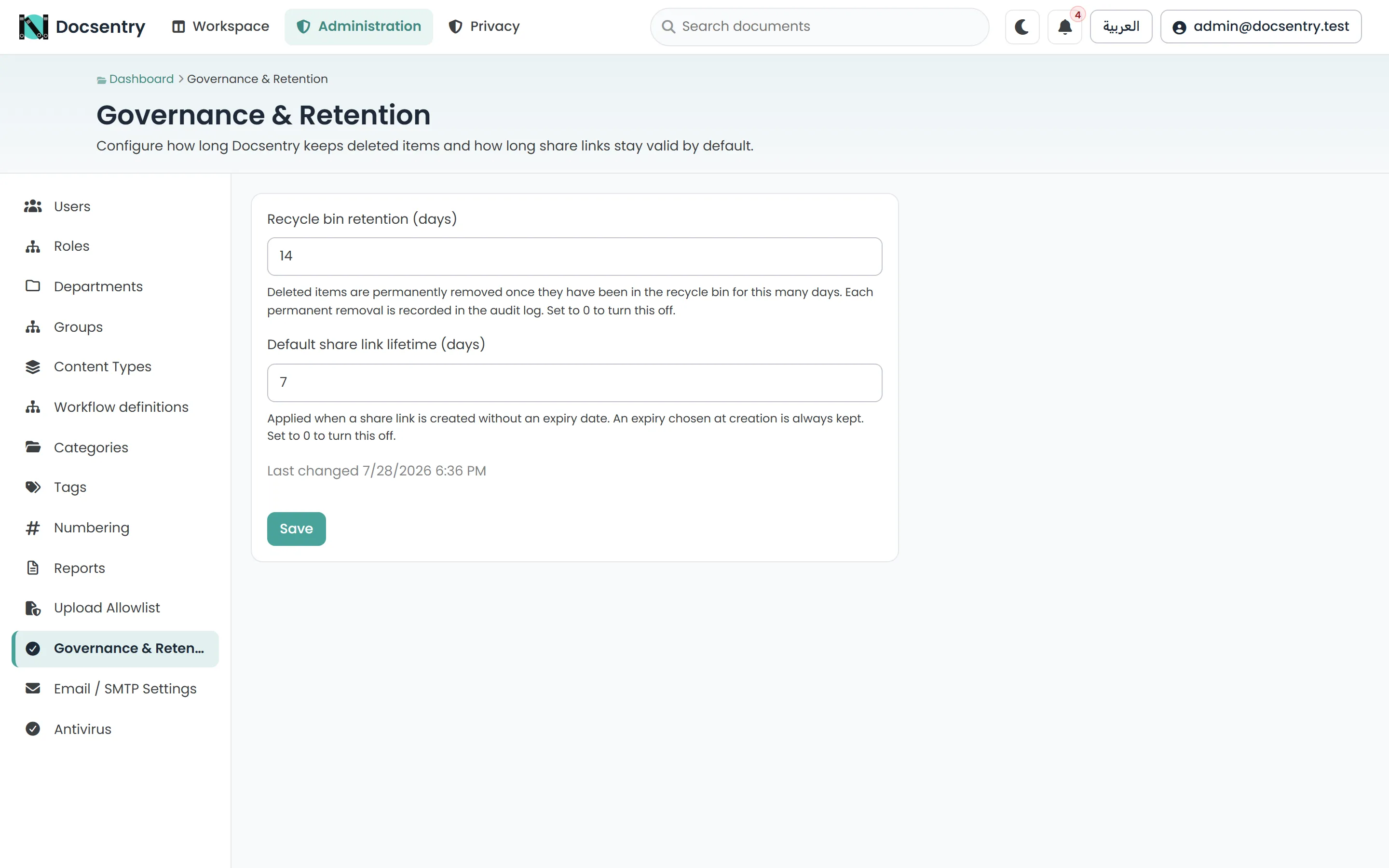
Governance settings: recycle-bin retention and the default share-link lifetime.
Settings on this screen
Section titled “Settings on this screen”| Setting | Default | Effect |
|---|---|---|
| Recycle bin retention (days) | 14 | Deleted items are permanently removed after this many days. 0 turns purging off. |
| Default share link lifetime (days) | 7 | Applied when a share link is created without an expiry. 0 turns the default off. |
| Network identifier lifetime (days) | 90 | IP addresses and user agents are cleared after this many days. Range 1 to 3650. |
The audit log
Section titled “The audit log”Every significant action is recorded: who did it, what they did, which resource, when, and the originating address. Document lifecycle, permission changes, workflow actions, and authentication events all land here. Each entry also records whether the action was authorised by an ordinary permission grant or by the administrator override.
The audit log is protected in two layers:
- Append-only at the database level. The application’s runtime principal can insert audit rows but not update or delete them.
- Tamper-evident. Every row is fingerprinted, rows are sealed into signed, chained ranges, and the chain is verified on a schedule. A change made directly in the database - even by someone with more privilege than the application - is detected.
Audit integrity
Section titled “Audit integrity”Audit integrity under Administration shows the latest verification runs and lets an auditor or administrator run a full verification on demand. Each run reports:
| Outcome | Meaning |
|---|---|
| Healthy | Every sealed row and seal checks out. Lawfully redacted rows are counted separately. |
| Broken | A row was altered, removed or inserted, or a seal does not match. The findings list what and where. |
| Unverifiable | The evidence needed to check part of the chain is gone - for example, the key ring that signed it. |
A Broken result also writes an error to the application log and shows a warning to administrators. Route the seal log events to an external collector as well: that copy is what catches someone who controls both the database and the application host. See Security hardening.
The log is readable through the audit report and through the per-document activity timeline. See Reports.
Retention
Section titled “Retention”Recycle-bin retention controls how long soft-deleted content stays restorable. The retention cleanup job runs hourly and purges items past the configured period. Until then, deleted items can be restored to their original location. Each permanent removal is recorded in the audit log.
Before changing a retention period, run the inactive-documents report to see what the new setting would actually affect. Shortening retention is not reversible for anything it purges.
Privacy retention
Section titled “Privacy retention”IP addresses and browser user agents are recorded on audit events, sign-in records and signatures. They are useful for investigating an incident and are personal data, so Docsentry does not keep them forever: the daily privacy retention job clears any older than the network identifier lifetime.
- The rest of each record is kept; only the identifier fields are cleared.
- Clearing is recorded in a signed redaction ledger, so audit verification reports those rows as lawfully redacted rather than tampered with.
- An invalid lifetime clears nothing and logs a warning, rather than clearing everything.
Application log files, which can also contain request addresses, roll over after 14 days.
Erasure
Section titled “Erasure”An administrator can erase a person, replacing their identity with a pseudonym everywhere it is stored while keeping business records intact. See Users and roles.
Docsentry pseudonymises rather than deleting the underlying records, because documents, signatures and workflow history must stay referentially intact. Your organisation decides and documents the legal basis for keeping those records after an erasure.
Signing capability
Section titled “Signing capability”Whether documents can be signed is itself a governance control, set per folder or per document and inherited down the tree. It is off by default, so signing is something a folder is deliberately opted into rather than something available everywhere.
See Signatures.
Storage integrity
Section titled “Storage integrity”A background job periodically verifies stored files against their recorded hashes. This detects both corruption and files that have gone missing underneath the application - the two failure modes a document management system most needs to know about early rather than at the moment someone tries to retrieve a document.
The job is watermarked, so each pass continues where the last one stopped rather than re-verifying the same first batch forever.
Related
Section titled “Related”- Reports - reading the audit log and finding retention candidates.
- Users and roles - erasure and separation of duties.
- Background jobs - retention, reclamation, sealing and integrity cadences.