
Upload allowlist
Docsentry accepts uploads by allowlist, not by blocklist. A type that is not listed is rejected. This is the correct direction for a system that will be handed arbitrary files by people who have not thought about it.
The global allowlist
Section titled “The global allowlist”Uploads:AllowedContentTypes is the repository-wide list. Out of the box it permits PDF, PNG,
JPEG, plain text, and the Word and Excel open formats.
Uploads:MaxFileSizeBytes sets the ceiling on a single file, 100 MB by default.
The Upload Allowlist screen in the administration section edits this list without a redeploy.
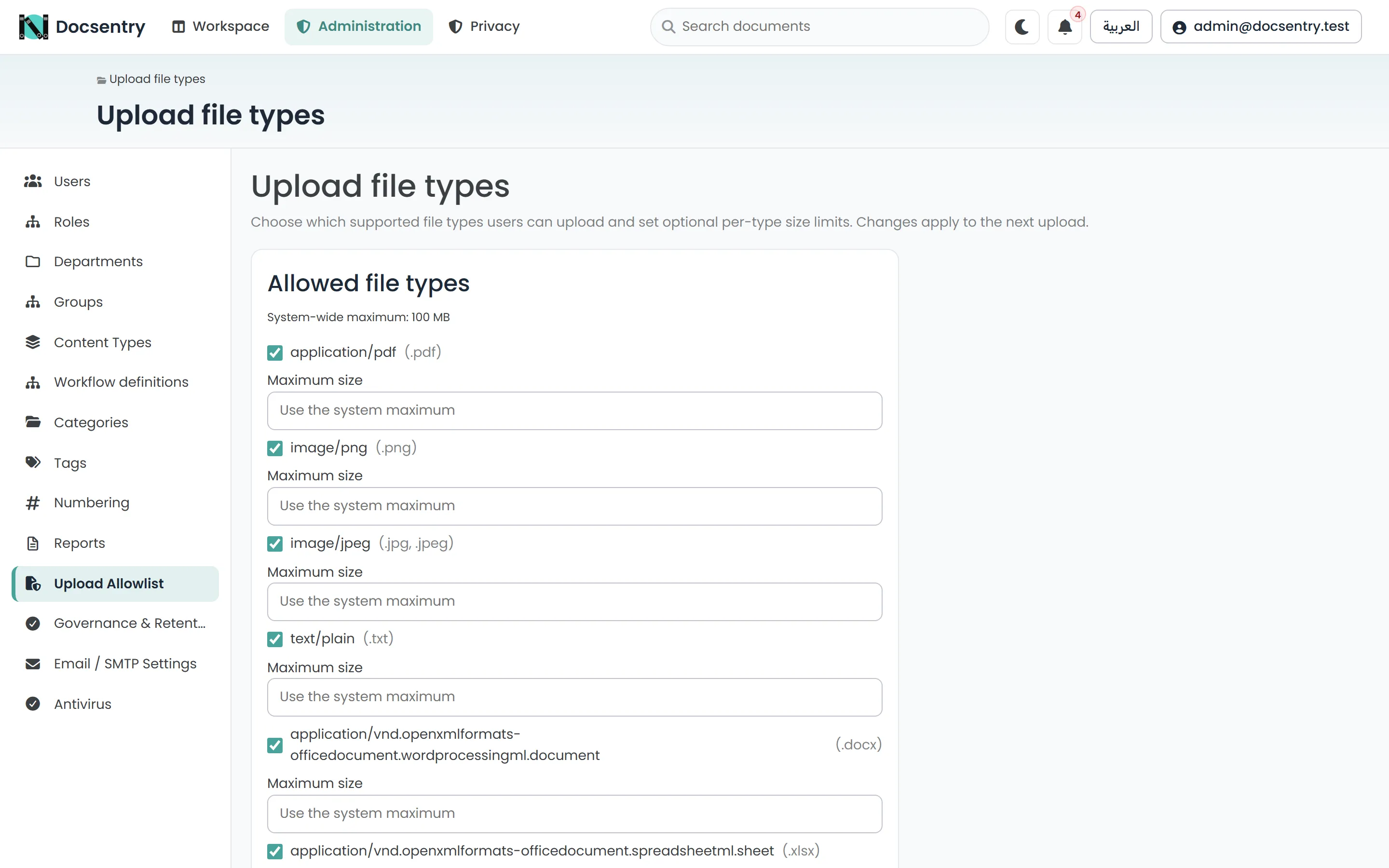
The global allowlist. Folder policies layer on top of it.
The three-way check
Section titled “The three-way check”An upload must pass three checks that all have to agree:
- Extension - the file name’s extension.
- Declared MIME type - what the browser or client said the file is.
- Sniffed content - what the leading bytes of the file actually are.
Any disagreement is a rejection.
This is the check that matters. Either of the first two alone is trivially defeated by renaming a
file, and the third alone would accept a genuine PDF named report.exe. Requiring all three to
agree means the stored file is what its name and type claim.
Per-folder upload policies
Section titled “Per-folder upload policies”A folder can carry its own upload policy, layered over the global allowlist:
- which content types are permitted in that folder
- per-type size limits
A policy on a parent folder applies to its subtree unless a nearer folder overrides it. The effective policy for a folder is the nearest one up the tree.
Policies are edited from the folder’s upload policy screen.
What they are for
Section titled “What they are for”Two patterns, in opposite directions:
Narrowing. A folder that should only ever contain signed PDFs can be restricted to PDF, so a Word draft cannot be filed there by accident. The restriction documents the intent better than a naming convention does.
Widening. A folder for design assets can permit large image files without raising the ceiling
for the whole repository. This is the better answer to “we need to store some big files” than
raising MaxFileSizeBytes globally.
Adding a type
Section titled “Adding a type”Before adding a content type to the allowlist, consider what happens to it downstream:
| Question | Why it matters |
|---|---|
| Will it preview? | Only images, PDFs, and Office formats render. Others store fine but show no thumbnail. See Previews. |
| Will its text be extracted? | Only formats the extraction pipeline handles. See OCR. |
| Will the scanner handle it? | Archives and containers are worth thinking about twice. |
| How large will they be? | Set a per-type size limit rather than raising the global ceiling. |
A type that stores but neither previews nor indexes is still useful - it is just a file in a folder, which is sometimes exactly what is wanted.
Rejection messages
Section titled “Rejection messages”| Message | Cause |
|---|---|
| Type not permitted | Not on the global allowlist, or not on the folder’s policy. |
| Content does not match its declared type | The three-way check failed. Usually a renamed file. |
| Too large | Above the global ceiling, or above the folder policy’s limit for that type. |
Related
Section titled “Related”- Uploading - the full upload pipeline.
- Antivirus - the check that runs after this one.
- Configuration keys - the
Uploadssection in full.