
Bulk operations
Doing the same thing to fifty documents one at a time is how mistakes happen. The explorer supports multi-selection and four bulk actions.
Selecting
Section titled “Selecting”In the folder explorer, select documents using the selection control on each card or row. As soon as something is selected, a bulk action bar appears with the count and the available actions.
Clearing the selection or navigating away dismisses it. Selection is per folder view - it does not accumulate across folders as you browse.
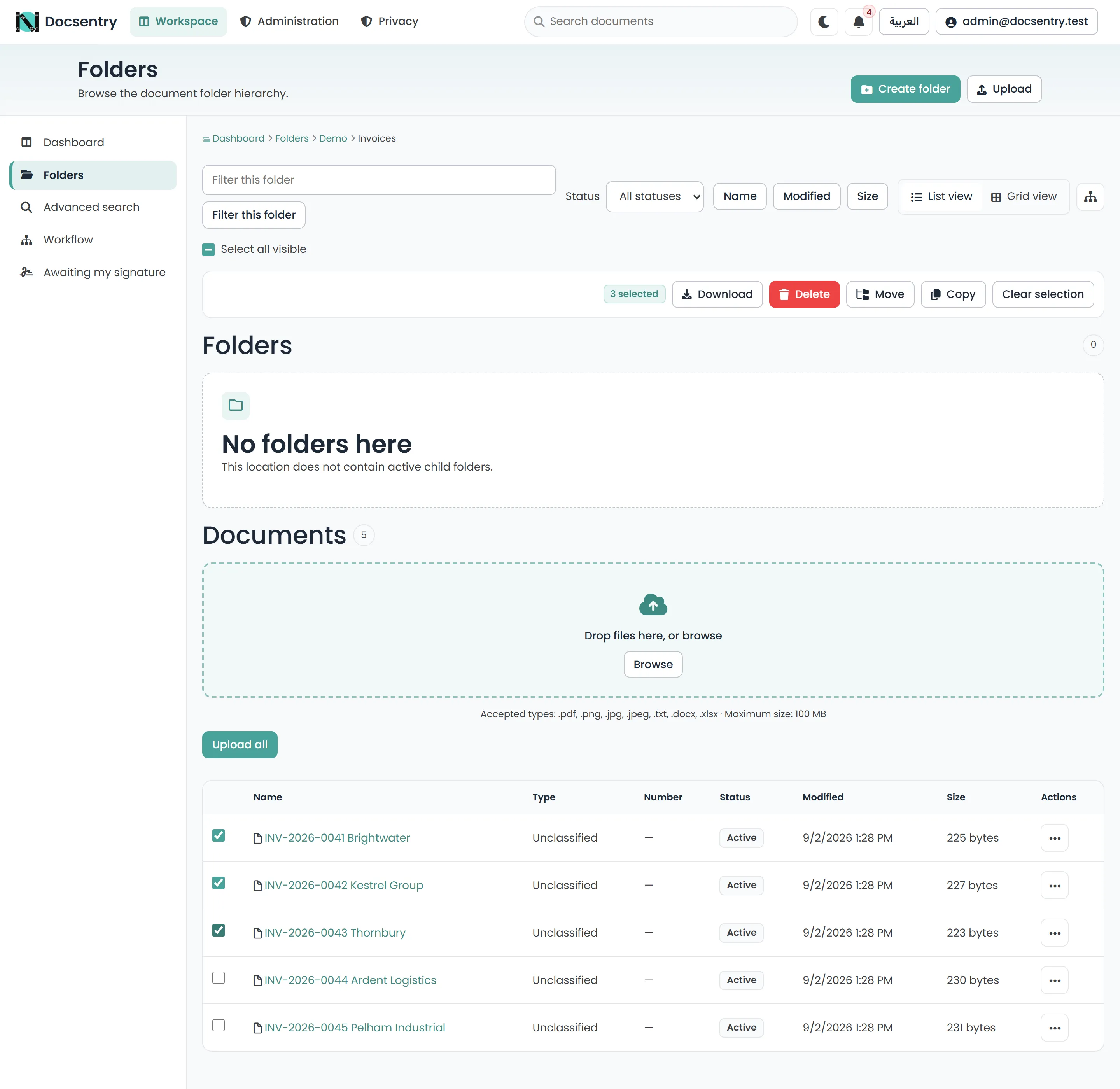
The action bar appears with the selection and carries the count, so you can see what you are about to act on.
The actions
Section titled “The actions”Moves the selected documents to another folder. Pick the destination from the folder picker.
Moving changes where a document lives, and therefore which folder’s access-control entries and policies apply to it. A document moved into a more restricted folder becomes correspondingly more restricted; a document moved out of one loses that protection. This is the bulk action worth pausing over.
Creates new documents in the destination folder with the same content.
Copies are independent documents. They have their own identity, their own permissions derived from the destination, and their own version history from that point on. Editing a copy does not affect the original.
Because storage is deduplicated, copying does not duplicate the content on disk - the copies reference the same stored file. See Folders and documents.
Delete
Section titled “Delete”Soft-deletes the selection to the recycle bin, from which items can be restored to their original location. Nothing is destroyed at this point.
Download
Section titled “Download”Packages the selection into a single ZIP file.
Documents you lack Download permission on are not included. Content that has not cleared
antivirus scanning is not included either. The archive contains what you were actually allowed to
have, which may be fewer files than you selected.
Limits
Section titled “Limits”A single bulk request is capped at Bulk:MaxItemsPerRequest, which defaults to 200 items. The
cap exists so one action cannot tie up a connection long enough to affect everyone else.
For a larger job, work in batches. There is no queued bulk operation that runs in the background - each request completes before returning.
Permissions
Section titled “Permissions”Bulk actions apply the same permission checks as the equivalent single-document action; there is no bulk bypass.
| Action | Requires |
|---|---|
| Move | Delete on the source, Upload on the destination |
| Copy | Download on the source, Upload on the destination |
| Delete | Delete on each document |
| Download | Download on each document |
Where the selection is mixed, the operation applies to the documents you are permitted to act on. Check the result rather than assuming every selected item was included.
Related
Section titled “Related”- Folders and documents - the recycle bin and how files are stored.
- Permission model - what the required bits mean.