
Antivirus
Every uploaded version is scanned before its content is served. Scanning is fail-closed: content that has not been cleared is not delivered, in any form, including previews.
Settings live under the Antivirus configuration section. Administrative screens are under
Antivirus in the administration section.
Scanner backends
Section titled “Scanner backends”Antivirus:ScannerKind selects one of three backends.
| Kind | What it does | Use for |
|---|---|---|
Eicar |
Recognises only the EICAR test string. Everything else is reported clean. | Development and testing. |
ClamAv |
Submits content to a ClamAV daemon over TCP. | Production, where you run your own scanner. |
VirusTotal |
Looks the content hash up against the VirusTotal service. | Production, where an external service is acceptable. |
ClamAV
Section titled “ClamAV”| Setting | Default | Purpose |
|---|---|---|
Antivirus:Host |
localhost |
ClamAV daemon host. |
Antivirus:Port |
3310 |
ClamAV daemon port. |
Antivirus:TimeoutSeconds |
30 |
Bound on a single scan. |
Content is submitted to the daemon, so it never leaves your infrastructure. This is the right choice where content is sensitive.
VirusTotal
Section titled “VirusTotal”| Setting | Default | Purpose |
|---|---|---|
Antivirus:VirusTotalBaseUrl |
https://www.virustotal.com/api/v3/ |
Service endpoint. |
Antivirus:VirusTotalApiKey |
- | Your API key. |
Antivirus:VirusTotalUnknownPolicy |
FailClosed |
What to do with a hash the service has never seen. |
Antivirus:VirusTotalCacheMinutes |
10 |
How long a verdict is cached. |
This backend submits a hash, not the file. Content is not uploaded, which makes it viable where uploading documents to a third party would not be.
The consequence is that a file nobody has ever submitted to VirusTotal has no verdict.
VirusTotalUnknownPolicy decides what happens then:
FailClosed(default) - an unknown file is not cleared. Safe, but it means genuinely novel internal documents are blocked, which in a document management system is most of them.TreatAsClean- an unknown file is allowed through. Usable, but it means the scanner only catches malware that is already publicly known.
Neither setting is comfortable. If most of your content is original internal material, ClamAV is the better fit.
The API key is stored encrypted, protected by the Data Protection key ring - which is one of the reasons that key ring is itself a credential. See Security hardening.
Verdicts are cached for VirusTotalCacheMinutes so that re-uploading the same content does not
re-query the service.
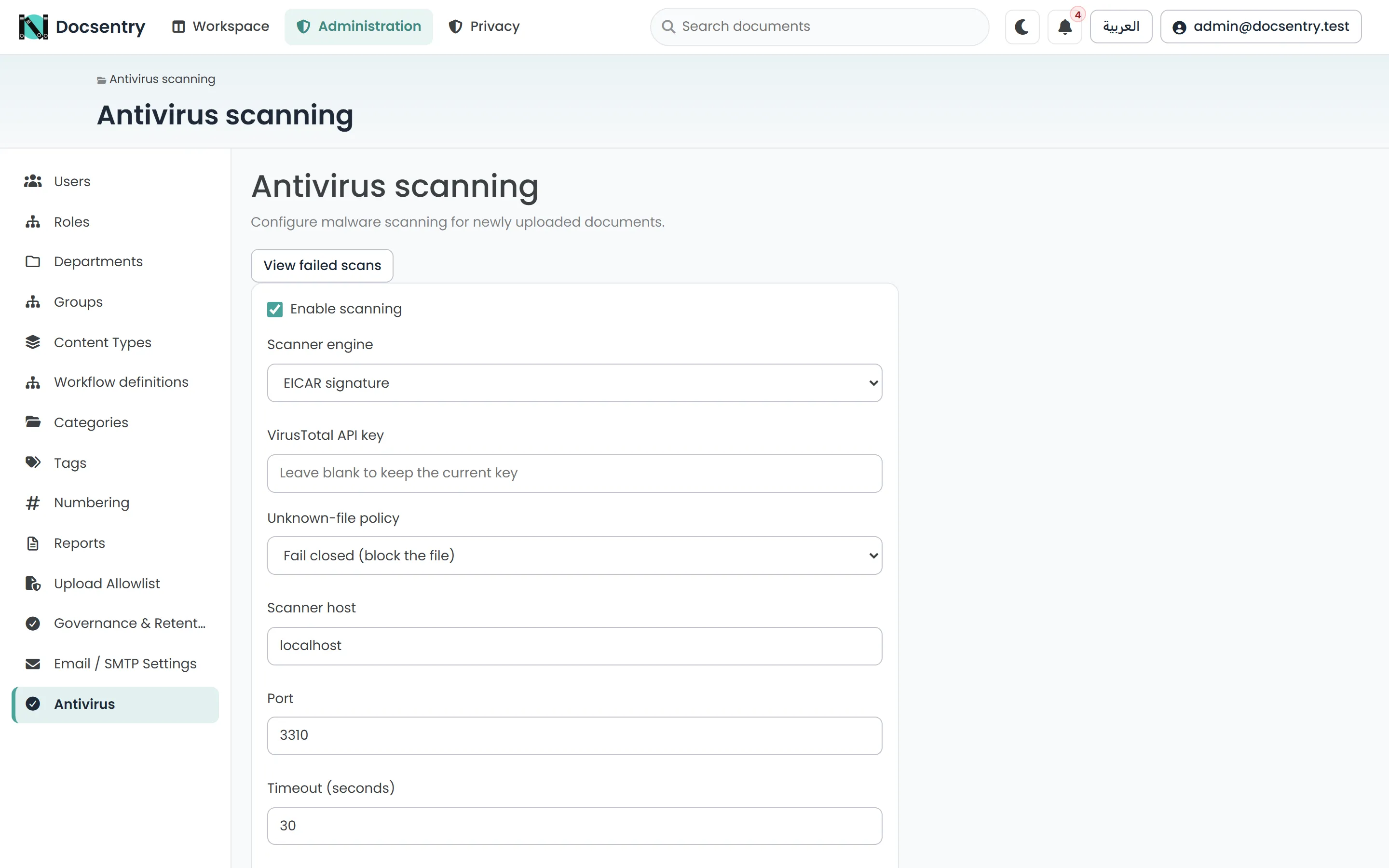
Antivirus settings. The scanner kind selected here decides whether uploads are genuinely scanned.
Fail-closed behaviour
Section titled “Fail-closed behaviour”Until a version is cleared, its content is not served. Downloads are refused and previews are not shown. The document is still listed, and its metadata is still visible - only the content is withheld.
Scanners always receive the decrypted content, even though it is stored encrypted, so a stored file can genuinely match a signature.
This has a consequence worth planning for: if the scanner is unreachable, uploads stop being usable. That is the correct trade-off for a scanner, but it makes scanner availability part of the application’s availability. Do not point the configuration at a scanner and then leave it down.
Quarantine
Section titled “Quarantine”Content that fails a scan is moved to the quarantine directory, resolved from
Storage:QuarantineSubpath beneath the storage root. It is kept, encrypted, rather than deleted so
it can be examined, and it is held outside the normal content store so nothing can serve it by
accident. A quarantine notification is sent and cannot be switched off by users.
The failed queue
Section titled “The failed queue”Antivirus > Failed lists versions whose scan did not complete. Two situations land here and they need different responses:
- Infrastructure failures - the scanner was unreachable or timed out. Requeue them once the scanner is healthy.
- Genuine detections - the content was found to be malicious. Do not requeue; investigate.
Requeue puts a version back in line to be scanned. Requeueing against a still-broken scanner simply refills the queue.
Files waiting for a scan
Section titled “Files waiting for a scan”A file’s scan normally runs straight after upload. If that never happens - the job host was down,
or the scan was queued and lost - the antivirus-backfill job finds files still waiting and scans
them in time-boxed batches every five minutes. It must stay enabled; it is the only recovery path
for a file stuck waiting.
With VirusTotal, the sweep is paced by Antivirus:VirusTotalRequestsPerMinute (4 by default, the
free-tier limit), which drains roughly 5,700 files a day. A large backlog therefore stays blocked
for days on VirusTotal; a local ClamAV scanner has no such quota.
Rescanning
Section titled “Rescanning”Individual documents can be rescanned by an administrator. This is useful after a signature database update, when content that was previously cleared may now be recognised.
Checking a document’s status
Section titled “Checking a document’s status”Each document exposes its scan status, so a user seeing a refused download can tell whether it is pending, failed, or blocked. The status is also available through the API - see HTTP API.
Related
Section titled “Related”- Uploading - where scanning sits in the pipeline.
- Upload allowlist - the check that happens before scanning.
- Security hardening - the key ring protecting the stored API key.