
Reports
Reports are under Reports in the administration section. Each is paginated on screen and can be exported to CSV.
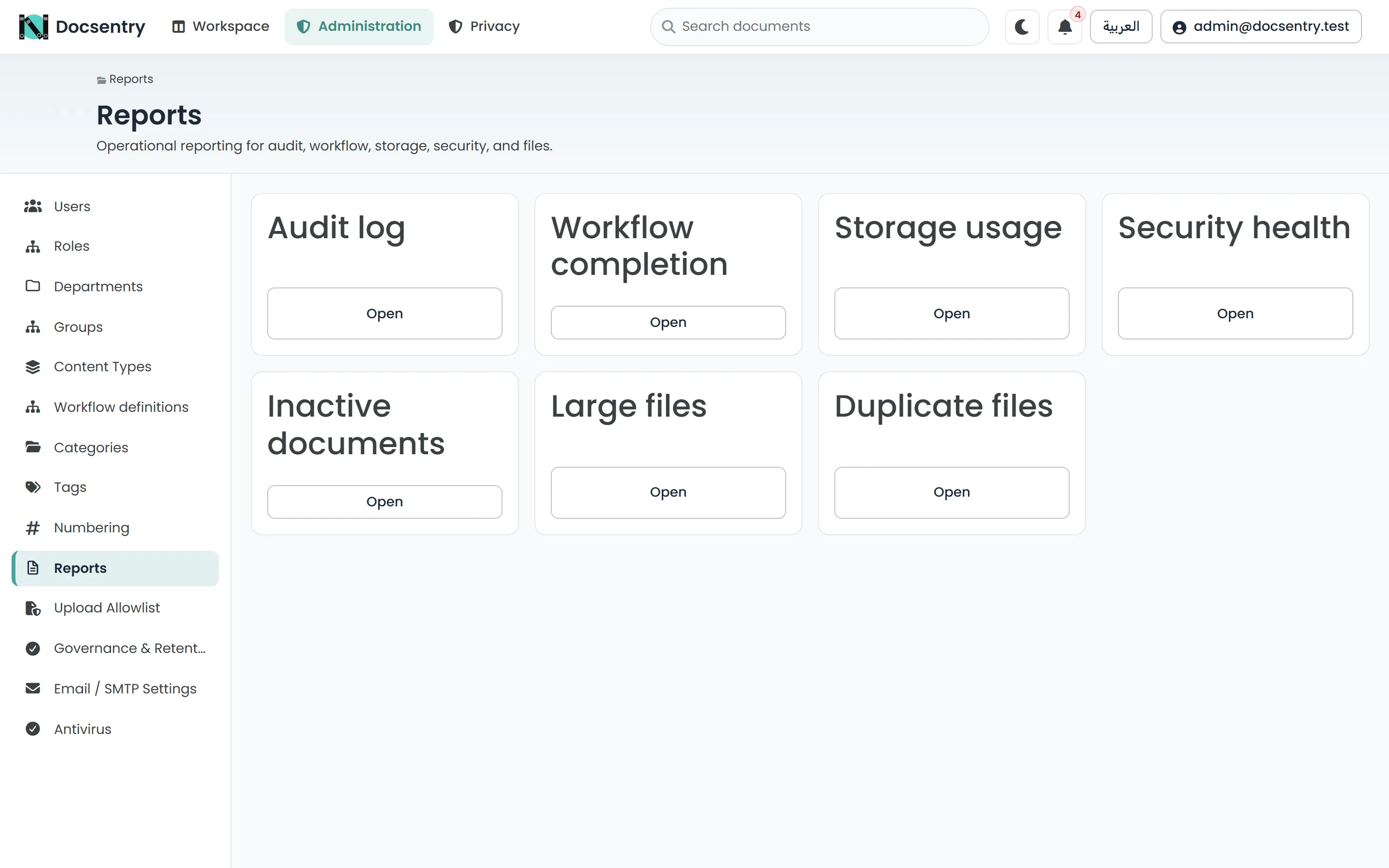
Each report is paginated on screen and exports to CSV with the same parameters.
The reports
Section titled “The reports”Every recorded action over a date range: who did what, to which resource, and when, with the originating address.
Parameters: from and to dates, and an optional authorisation basis filter.
This is the report that answers “who deleted this” and “who was given access to that, and by whom”. Filter by basis to see every action that was authorised by the administrator override rather than by an ordinary grant - the widest privilege in the system, made visible. The filter carries into the CSV export.
The audit log is append-only at the database level and tamper-evident; its integrity is checked on the Audit integrity page. See Governance and retention.
Workflow completion
Section titled “Workflow completion”How workflow instances are progressing and how long they take.
Use it to find processes that are technically running but effectively stalled - a step that routinely sits for days is a definition problem, not a people problem. See Authoring definitions.
Storage usage
Section titled “Storage usage”Where the bytes are.
Because storage is deduplicated, the sum of apparent document sizes is not the disk footprint - identical content is stored once no matter how many documents reference it. Read this report as the distribution of content, not as a disk consumption forecast.
Security health
Section titled “Security health”The security posture of accounts and access: accounts without two-factor authentication, unusual permission grants, and similar signals.
Worth reviewing on a schedule rather than after an incident.
Inactive documents
Section titled “Inactive documents”Documents untouched since a given date.
Parameter: olderThan.
This is the input to a retention decision. Before archiving or purging a class of documents, this report tells you what you would actually be affecting. See Governance and retention.
Large files
Section titled “Large files”Documents above a size threshold.
Parameter: minBytes.
Useful when storage is growing faster than expected, and for deciding whether a per-type upload size limit is warranted. See Upload allowlist.
Signing requirements
Section titled “Signing requirements”Which documents have fully satisfied their signing requirements, which are still waiting, and which are blocked - without opening each document. See Signatures.
Duplicate files
Section titled “Duplicate files”Content stored once but referenced by several documents.
Because identical content is stored once, duplicates are not wasting disk space - the bytes are already shared. What this report reveals is a governance problem: the same document existing in several places, where the copies will drift, be versioned independently, and eventually disagree about which one is current.
Export
Section titled “Export”Every report exports to CSV through an export route that takes the same parameters as the report itself. The export reflects the parameters you supply, not just the page you are looking at.
CSV is the right format for handing a report to someone who will work on it in a spreadsheet, and for keeping a point-in-time copy of a state that will change.
Pagination
Section titled “Pagination”Reports use one of two paging styles depending on the report: page-number paging for those naturally bounded by a date range, and cursor paging for those that can be arbitrarily long. Cursor paging keeps deep pages fast, which is why the long reports use it.
Access
Section titled “Access”Reports are administrative. The audit report and audit integrity page are available to the
Auditor role, so someone can review the audit trail without being given administrative control
over the repository. See Users and roles.
Reports via the API
Section titled “Reports via the API”Every report is also available under /api/v1/reports, with the same parameters and the same CSV
export. That is the route to take for a scheduled extract into a reporting system, rather than
querying the database directly - the API applies the same permission trimming the screens do. See
HTTP API.
Related
Section titled “Related”- Governance and retention - acting on what the reports show.
- Security hardening - the posture the security report measures.