
Collaboration
The document details page places discussion and activity together so you can follow work without changing the document content. Personal tools—favourites, watches, reminders, and notifications—help you return to relevant resources and notice changes.
Comments and threads
Section titled “Comments and threads”Open a document and use the Comments tab to post a comment. You can reply to an existing comment to create a thread. Comments require Preview permission because discussion can reveal information about the document.
You can edit or delete your own comments. Administrators can also edit or delete other users’ comments. Deletion is soft: the thread keeps a deleted-comment marker so replies remain in context. If another update changes the same comment before your edit is saved, Docsentry rejects the stale update instead of overwriting it.
Adding a comment can notify other users who watch that document for comment events. The author does not receive their own watch notification.
Activity timeline
Section titled “Activity timeline”Select Activity on the same document panel to load the read-only timeline. It records document and version activity such as creation, updates, moves, deletion and restoration, uploads, check-out and check-in, downloads, configuration changes, and workflow-related actions when corresponding audit records exist.
The timeline is for review, not editing. It is loaded in pages, and only users with Preview permission can read it.
Favourites
Section titled “Favourites”On a folder details page, use Add to favourites or Remove from favourites. The favourite belongs to your account and does not change other users’ navigation. Permission trimming still applies: a favourite no longer appears in favourite queries after you lose Preview access.
The collaboration API also supports favourites for either documents or folders. The current MVC interface exposes the toggle on folder details; it does not provide a document-favourite button or a dedicated favourites screen.
Watches
Section titled “Watches”A watch subscribes your account to selected events on one document or folder. Supported event types are new versions, comments, moves, metadata changes, workflow actions, deletion, and restoration; a watch can include any combination or all of them. Notifications are sent to watchers other than the actor who caused the event.
The application currently exposes watch listing, creation or update, and removal under the authenticated /api/v1/watches endpoints. There is no dedicated MVC watch-management screen in the current interface.
Reminders
Section titled “Reminders”A reminder targets one document or folder, one recipient, and a due time. When the background reminder job claims a due reminder, it marks it sent, creates an in-app Reminder due notification, and queues an email. A reminder can be cancelled before delivery by its recipient or by an administrator.
Reminder listing, creation, and cancellation currently use the authenticated /api/v1/reminders endpoints. There is no dedicated MVC reminder screen.
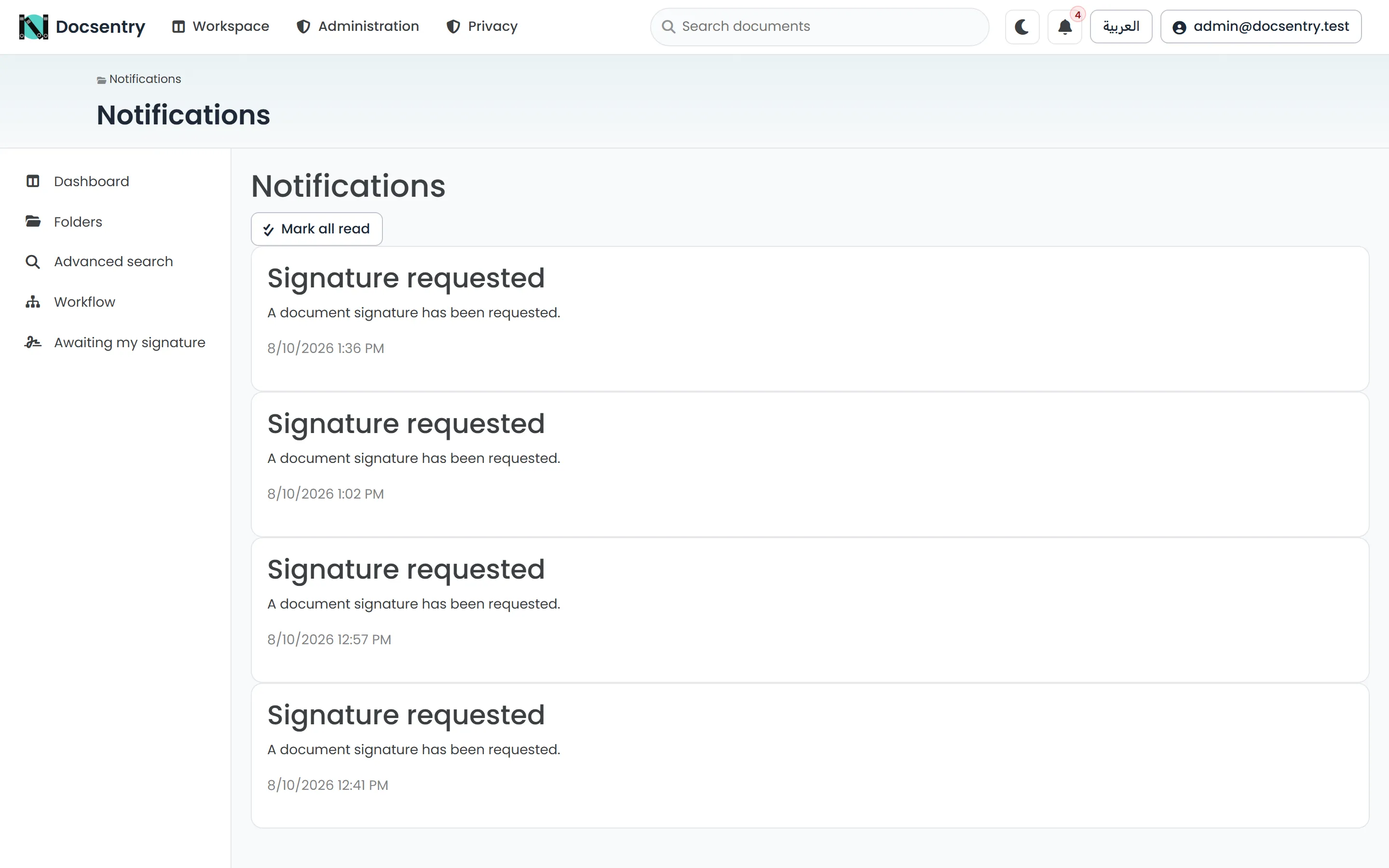
In-app notifications. Email delivery of these is controlled per user, and is independent of the notification itself.
Notifications and email
Section titled “Notifications and email”The bell in the top bar shows your unread notification count and opens the notifications page. That page lists notification titles, bodies, and times, and provides Mark all as read. The API can also mark an individual notification as read.
In-app notifications are stored independently of email. Email delivery is queued for notification events, but actual delivery depends on the email transport, background jobs, and user preferences being enabled and configured. An administrator manages the application-level settings under Email / SMTP Settings, at /Admin/Governance/Email.