
Search
Quick search
Section titled “Quick search”The search field in the top bar searches across the repository and returns matching documents with the matched terms highlighted.
Results are permission-trimmed: you see only documents your effective permissions let you see. A document you have no access to does not appear as a result you cannot open - it does not appear at all. Search is not a way to discover what exists.
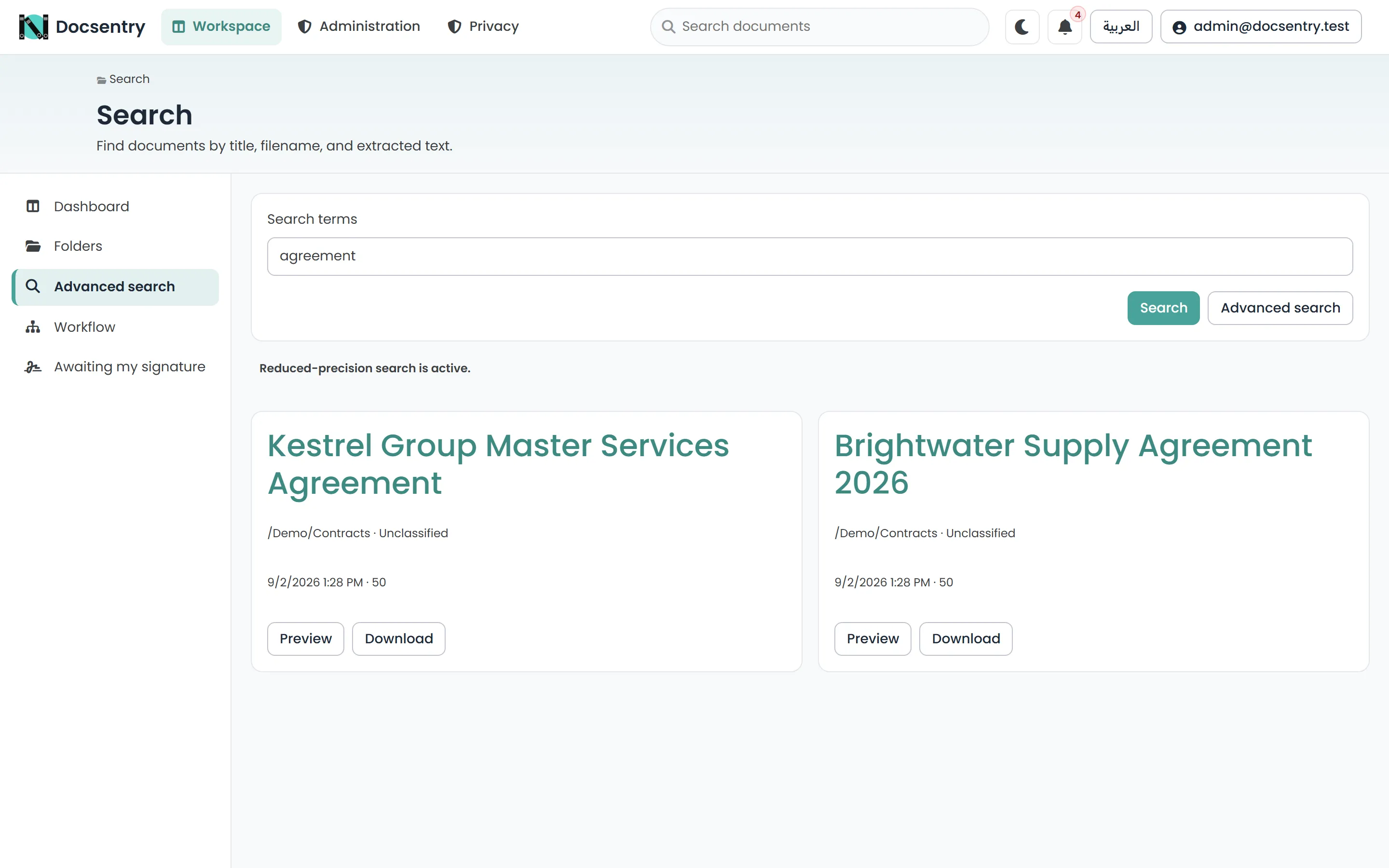
Quick search results, trimmed to documents the caller may see.
Advanced search
Section titled “Advanced search”Advanced search in the workspace section adds structured facets, which is what makes a large repository tractable. You can narrow by folder, content type, metadata field values, tags, categories, document status, dates, and the owning user’s department or organisation unit.
Facets combine, so “approved contracts in the Legal department tagged q3-audit” is a single
query rather than three passes of manual filtering. This is the payoff for capturing metadata at
upload time - see Metadata and content types.
Results are paginated with an opaque cursor rather than a page number, so paging stays stable and fast even deep into a large result set.
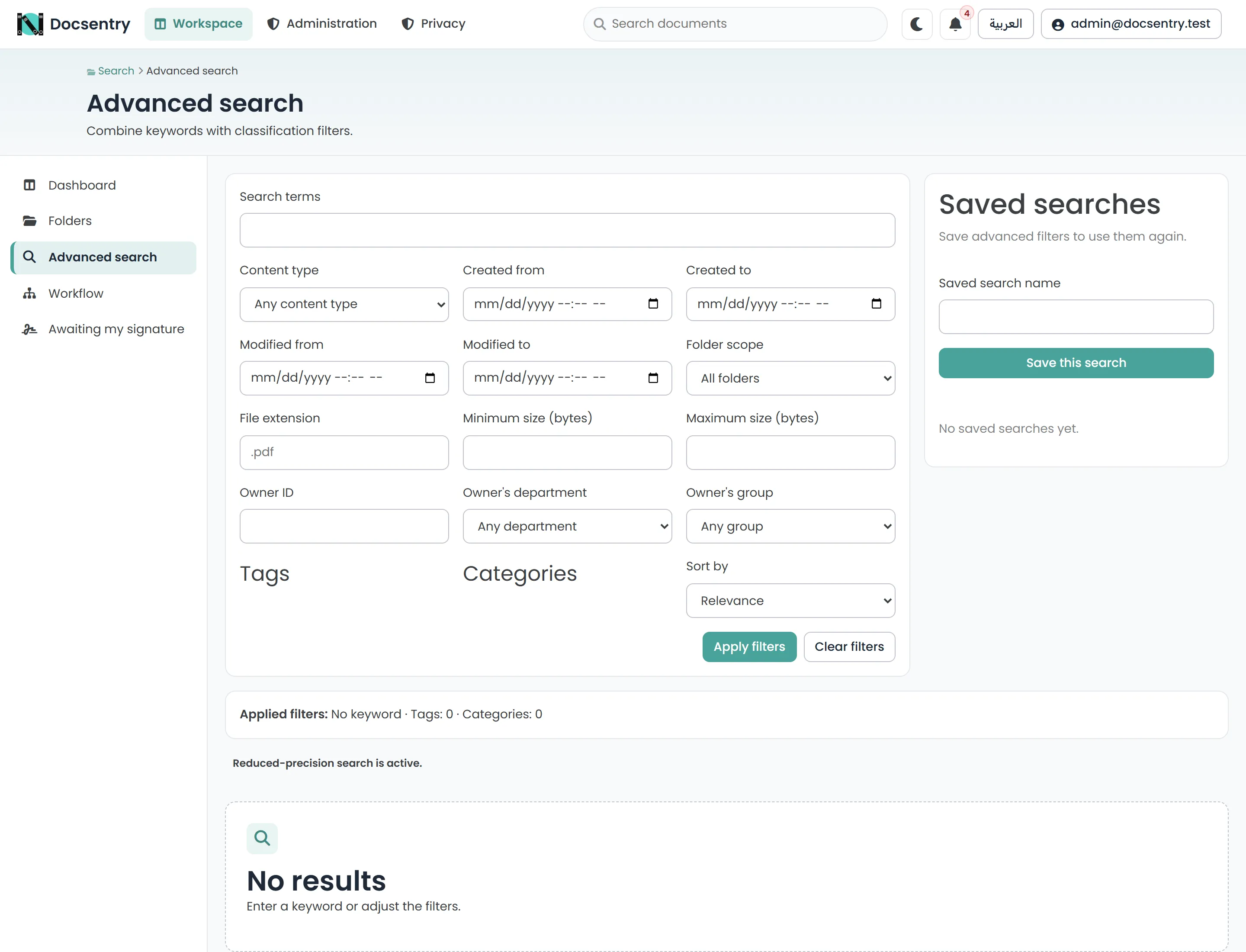
Advanced search. Facets combine, so several constraints are one query rather than repeated filtering.
Saved searches
Section titled “Saved searches”A search you will run again can be saved by name, then re-run from the saved list. Saved searches can be renamed and deleted.
There is a limit on how many you can save, and names must be unique within your own set - both are reported as clear validation errors rather than silently overwriting.
What is searched
Section titled “What is searched”| Source | Notes |
|---|---|
| Document name and original filename | Always. |
| Metadata field values | Typed, so a date field is searchable as a date. |
| Tags and categories | As facets and as terms. |
| Extracted text | Only once text extraction has run for that version. See OCR. |
A document uploaded moments ago is findable by name immediately, and by its contents once extraction has completed.
The two execution modes
Section titled “The two execution modes”This is the part worth understanding before a repository grows.
Docsentry checks whether a SQL Server full-text index is available and picks one of two paths:
Full-text mode uses SQL Server’s CONTAINS predicate against the full-text index. Term
matching is handled by the index, so query cost scales with the number of matches rather than
the number of documents.
Fallback mode uses a LIKE '%term%' predicate. The results are correct, but a leading
wildcard means the predicate is not sargable: SQL Server cannot use an index to satisfy it and
must examine the candidate rows.
The capability check is cached for five minutes rather than run per query, so installing or removing full-text search takes effect within a few minutes without a restart.
Checking which mode you are in
Section titled “Checking which mode you are in”Full-text search is a SQL Server feature installed at the instance level - the application cannot turn it on. To check:
SELECT FULLTEXTSERVICEPROPERTY('IsFullTextInstalled');1 means the feature is present. 0 means it is not installed, and the fallback is the only
available path regardless of what the deployment scripts contain.
If the feature is present but the index is missing, Database/deploy/090_search_reporting.sql
is the script that creates the catalog and index. It is the one non-transactional deploy script,
precisely because full-text catalog operations cannot run inside a transaction - see
Database deployment.
Search does not replace structure
Section titled “Search does not replace structure”Search finds a document when you know something about it. It does not tell you what a folder contains, it does not enforce anything, and it cannot find a value nobody captured. Folders, content types, and permissions still carry the weight; search is how you get back to a specific document quickly.
Related
Section titled “Related”- OCR and text extraction - what makes document contents searchable.
- Metadata and content types - what the facets are built from.
- Performance and tuning - search cost in context.
- Troubleshooting - slow search, and documents that do not appear.